🎨 Watercolor Style
Watercolor Painting AI Prompt Generator
Transform any photo into a hand-painted watercolor
Prompt Builder
AI Tool
Style
Subject
Lighting
Mood
Background
Camera
Format
Intensity — 100%
ChatGPT 4o · 1071 chars
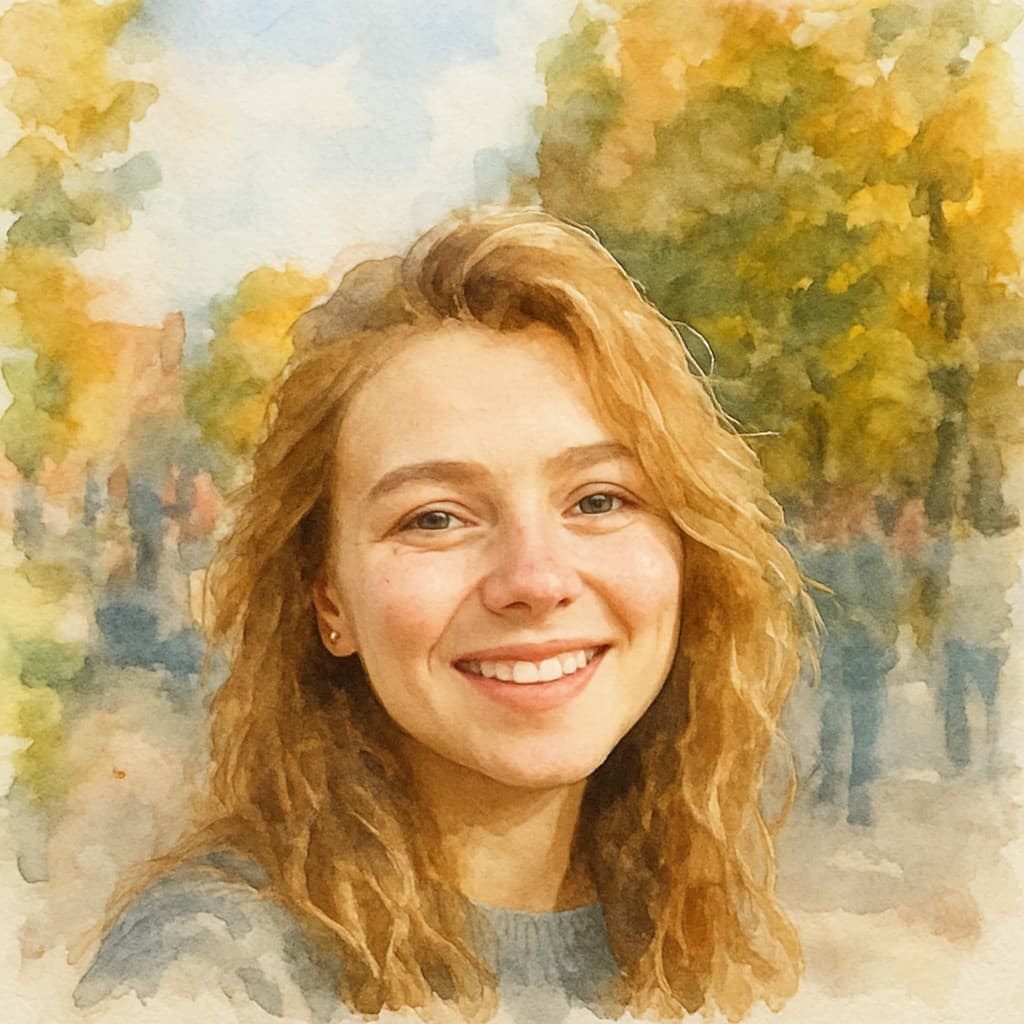
Transform this photo into: soft watercolor painting, wet-on-wet bleeding color edges, paper texture grain, translucent layered washes, loose gestural brushwork, delicate color gradients. Subject: close-up portrait of a person, expressive eyes, sharp facial features, detailed skin texture, natural authentic expression. Lighting: soft diffused natural light, even gentle illumination, no harsh shadows, flattering wrap-around fill light. Mood and atmosphere: ethereal dreamlike quality, floating otherworldly atmosphere, soft luminous haze, transcendent delicacy. Environment: lush natural outdoor setting, verdant foliage, soft green environment, organic textures, peaceful natural backdrop. Camera and lens: 85mm portrait lens, f/1.8 shallow depth of field, creamy background blur, sharp subject focus, flattering compression. Additional qualities: wet-on-wet color blooms, soft lost edges dissolving into paper, luminous color transparency. Preserve the subject's facial identity and likeness exactly. Output ultra-detailed, artifact-free, professional quality result.
Example
Ready-made prompts
12 pre-tested Watercolor prompts
Portrait
Transform this photo into a soft watercolor painting portrait. Translucent color washes, bleeding edges, paper grain texture, loose gestural brushwork, wet-on-wet color blooms. Kee…
Couple
Transform this photo into a watercolor painting of a couple. Soft romantic color palette, flowing washes, gentle bleeding at edges, dreamy ethereal mood. Keep facial features uncha…
Pet
Transform this pet photo into a soft watercolor painting. Expressive loose brushstrokes, wet-on-wet fur texture, warm color washes, white paper highlights showing through.
Landscape
Transform this photo into a watercolor landscape painting. Wide loose washes, atmospheric perspective, soft bleeding horizon, paper grain texture, natural muted palette.
Flowers
Transform this photo into a botanical watercolor painting. Vibrant translucent petal washes, wet-on-wet color bleeding, delicate ink linework, fine art botanical illustration quali…
City scene
Transform this photo into a loose watercolor city sketch. Gestural architectural lines, atmospheric color wash background, wet street reflections, urban sketching quality.
Golden hour
Transform this photo into a golden hour watercolor painting. Warm amber and rose washes, wet-on-wet sky blending, luminous backlight glow, soft organic edges.
Child
Transform this childhood photo into a soft watercolor painting. Gentle pastel washes, innocent soft lines, delicate translucent skin tones, white paper highlights. Keep facial feat…
Interior
Transform this photo into a watercolor interior painting. Loose gestural furniture shapes, warm color washes, soft window light, atmospheric indoor sketch quality.
Rain scene
Transform this photo into a rainy watercolor painting. Running paint streaks, grey-blue atmospheric washes, wet reflections, moody soft palette, rain-soaked texture.
Wedding
Transform this wedding photo into a romantic watercolor painting. Soft blush and ivory washes, flowing bridal textures, dreamy romantic mood, delicate fine art quality. Keep facial…
Abstract
Transform this photo into an abstract watercolor painting. Expressive color fields, bold wet-on-wet blooms, lost and found edges, spontaneous artistic energy, non-representational …
How to use
Get the best results
01
Open ChatGPT 4o or Midjourney
Make sure you have access to image generation. ChatGPT 4o free tier supports it.
02
Upload your photo
In ChatGPT: click the paperclip icon. In Midjourney: use /imagine and paste the image URL, or use the blend command.
03
Paste the prompt
Copy the prompt from the builder above and paste it alongside your uploaded photo. Click generate.
FAQ
Common questions about Watercolor
What makes a good watercolor AI prompt?
The best watercolor prompts specify the paper texture, wet-on-wet bleeding at edges, translucent color washes, and loose gestural quality. Our generator includes all these automatically.
Which AI tool is best for watercolor style?
Midjourney v7 with --style raw produces the most authentic watercolor results. ChatGPT 4o also handles watercolor well for photo transformations.
Can I control how loose or detailed the watercolor looks?
Yes — use the Intensity slider. Higher intensity emphasizes bold brushwork and strong bleeding; lower intensity produces tighter, more controlled washes.
What subjects work best for watercolor style?
Portraits, landscapes, and pet photos work beautifully. The style suits subjects with strong shapes and emotional presence — faces, animals, and nature scenes.
Does watercolor style preserve facial likeness?
The ChatGPT prompt explicitly requests identity preservation. For best results upload a clear face photo. Midjourney uses --iw 2 which also anchors the likeness.
Related styles
Also works great for